Best Free Unity VR Networking Assets in 2026: Connect VR Players Online
The best free Unity networking solutions for VR development in 2026 are Photon PUN2 (20 concurrent users free, easiest to set up), Mirror Networking (open source, unlimited users, self-hosted), Unity Netcode for GameObjects (official Unity solution, free), and Fish-Net (high performance open source). For Pakistani developers, Photon’s Singapore region offers the lowest latency for local players. Start with Photon PUN2 for your first VR multiplayer project.
- Why VR Networking Is Different from Regular Games
- Photon PUN2 — Free Tier for 20 CCU
- Mirror Networking — Open Source, No Limits
- Unity Netcode for GameObjects — Official Solution
- Fish-Net — High Performance Open Source
- Pakistan Server Considerations
- Getting Your First VR Multiplayer Scene Working
- Our Recommendation
Why VR Networking Is Different from Regular Games
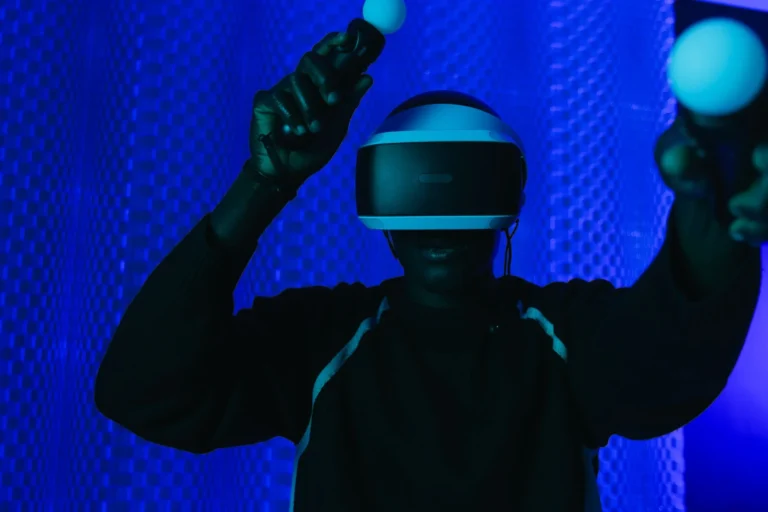
Building a multiplayer VR game has unique challenges that regular 2D or 3D games do not have. In a flat game, you synchronise player positions and a few state variables. In VR, you need to synchronise head position and rotation, both hand positions and rotations, finger tracking data (if using hand tracking), avatar body inverse kinematics, voice data, and any object interactions happening in the scene. All of this needs to happen at low latency or the experience feels disconnected and nauseating. A 200ms delay in a flat game feels like slight lag. A 200ms delay in VR makes your avatar’s hands appear to float behind where you actually moved them.
For Pakistani developers, this means server region matters enormously. A Singapore-region server gives Pakistani players approximately 80–120ms of round-trip latency. A US East server adds 200ms+ on top of that, which crosses into uncomfortable territory for VR interactions. Choosing the right networking solution and the right server region is as important as the code itself. For context on the broader VR development landscape, see our guide on best free Unity VR assets in 2026.
Photon PUN2 — The Easiest Starting Point
Photon PUN2 (Photon Unity Networking 2)
Photon PUN2 is the most widely used multiplayer networking solution in Unity and the most practical starting point for VR developers. The free tier supports 20 concurrent users (CCU) permanently, which covers development, testing, and small production deployments. Photon handles all the server infrastructure — you simply create an App ID on the Photon dashboard, import the PUN2 SDK from the Asset Store, and within an hour you can have two VR players in the same virtual room. Photon has server regions in Singapore, Tokyo, and Mumbai — the Singapore region offers Pakistani players the lowest latency at roughly 80–120ms round-trip, which is acceptable for VR interactions. The SDK is actively maintained, has extensive documentation, and has the largest community of any Unity networking solution. Integration with XR Interaction Toolkit is straightforward: attach PhotonView and PhotonTransformView components to your XR Rig and the framework handles the rest.
Pros
- Free for up to 20 concurrent users permanently
- Zero server management — Photon handles infrastructure
- Largest community and most tutorials of any Unity networking SDK
- Singapore server region excellent for Pakistan
- Voice chat addon (Photon Voice 2) available separately, also free tier
Cons
- Proprietary — you depend on Photon’s servers and pricing
- Beyond 20 CCU requires paid plan starting at approximately $95/month
- Less performance-optimised than Fish-Net for large player counts
Mirror Networking — Open Source with No User Limits
Mirror Networking
Mirror is the most popular open-source networking solution for Unity and the preferred choice for teams who want full control over their multiplayer infrastructure. Unlike Photon, there is no user limit and no monthly fee — you host the server yourself. A small VPS (Virtual Private Server) in Singapore on providers like DigitalOcean, AWS, or Linode costs approximately $5–20/month and gives you a dedicated server for Pakistani players with 80–120ms latency. Mirror uses a server-authoritative architecture similar to how commercial games are built, making it the most production-ready free option. For VR specifically, Mirror works excellently with XR Interaction Toolkit — the Mirror community has published VR-specific examples including shared physics objects and hand tracking synchronisation. Because it is MIT licensed, you can modify the source code, which matters for VR-specific optimisations.
Pros
- No concurrent user limits whatsoever
- Open source (MIT) — modify anything
- Self-hosted means you choose server location (Singapore for Pakistan)
- Server-authoritative architecture is production standard
- Active community with VR-specific examples
Cons
- Requires setting up and managing your own server
- More complex initial setup than Photon
- Monthly server hosting cost (small but ongoing)
Unity Netcode for GameObjects — The Official Solution
Unity Netcode for GameObjects (NGO)
Unity Netcode for GameObjects is Unity’s own official networking framework, available free through the Unity Package Manager. It is deeply integrated with Unity’s workflow — NetworkObject components, NetworkVariable for synced variables, and NetworkBehaviour base class work naturally within the Unity editor without any plugin installation friction. For VR development, Unity Netcode works with both Quest standalone builds and PC VR builds, and it integrates cleanly with Unity’s XR Interaction Toolkit. The relay service (Unity Relay, part of Unity Gaming Services) is free for small projects and eliminates the need to manage server infrastructure for basic hosting. The framework is younger than Photon or Mirror and has fewer community VR examples, but it is actively developed and represents Unity’s long-term networking direction. For Pakistani developers already comfortable with Unity’s ecosystem, the natural integration makes it a strong option.
Pros
- Officially supported by Unity — long-term maintenance guaranteed
- Deep editor integration — no separate SDK to manage
- Unity Relay service handles hosting for small projects free
- Works on Quest standalone builds natively
Cons
- Younger than Photon or Mirror — fewer VR-specific examples
- Unity Relay free tier has usage limits beyond which paid tiers apply
- Less flexible than Mirror for large custom architectures
Fish-Net — High Performance Open Source Networking
Fish-Net (Fish-Networking) is a newer open-source Unity networking solution that has rapidly gained popularity for its performance and feature set. Benchmarks show Fish-Net outperforming both Mirror and Unity Netcode at high player counts, making it attractive for social VR applications where many players occupy the same space simultaneously. Like Mirror, it is self-hosted — you run the server, which means you control region selection and can deploy to Singapore for Pakistani players. Fish-Net supports both server-authoritative and owner-authoritative architectures, giving developers flexibility in how they design VR interactions. The community is smaller than Mirror or Photon but growing quickly, and documentation has improved significantly in 2025–2026. For teams building social VR with 50+ concurrent players per room, Fish-Net is worth considering over the more established options.
Pros
- Best raw performance of any free Unity networking option
- MIT licensed — fully open source and modifiable
- Supports both server-authoritative and owner-authoritative modes
- Growing community with active development
Cons
- Smaller community than Mirror or Photon — fewer tutorials
- Requires self-hosting setup
- Less mature — some edge cases may require more debugging
Pakistan Server Considerations
For Pakistani VR players, latency is determined almost entirely by which server region your networking solution uses. Pakistan is not directly served by any major cloud provider’s local data centre, so all traffic routes through the nearest regional hub. Here is the latency reality for Pakistani connections:
Singapore region (AWS ap-southeast-1, Photon Singapore, DigitalOcean Singapore): approximately 80–120ms round-trip. This is the closest practical option and is acceptable for VR — most interactions at this latency feel natural for social VR and tolerable for light competitive VR. Mumbai region (AWS ap-south-1, Photon Mumbai): approximately 50–80ms, which is faster than Singapore for some Pakistani users depending on their ISP routing. Test both — the Mumbai region has historically had routing inefficiencies from Pakistan. Tokyo/Japan region: approximately 120–160ms, workable but not ideal. US East/US West: 200–280ms, which is too high for comfortable VR interactions — avoid for servers that Pakistani players will use regularly.
For Photon PUN2, select the Singapore app region in your Photon Dashboard settings. For self-hosted Mirror or Fish-Net deployments, a $6/month Droplet on DigitalOcean in the Singapore data centre is the most practical choice for a Pakistani developer’s first production server. For more networking options, see our free Unity VR multiplayer assets guide.
Getting Your First VR Multiplayer Scene Working
The fastest path to a working VR multiplayer scene uses Photon PUN2 with Unity XR Interaction Toolkit. The workflow is: first, create a free account on photonengine.com and create a new application — this gives you an App ID. Second, import PUN2 from the Unity Asset Store and enter your App ID in the Photon Server Settings wizard that appears automatically. Third, set up a basic NetworkManager script that connects to Photon on startup and joins or creates a room. Fourth, add a PhotonView component to your XR Rig root object and PhotonTransformView components to your camera (head) and both hand controllers — this synchronises position and rotation for each player. Fifth, add remote player avatar instantiation so that when a second player joins, their avatar appears in your scene. Sixth, build to Quest and test with two headsets on the same WiFi network using the local IP — this is the fastest way to validate synchronisation before deploying to Photon’s cloud.
Common issues: the XR Rig camera moves constantly as you look around, so transform sync needs to happen at high frequency (10–20 times per second) for head tracking to look smooth. Hands need even higher frequency. Photon’s PhotonTransformViewClassic component handles this with configurable synchronisation rates. For a deeper dive into setting up the XR Interaction Toolkit side, see our Unity XR Interaction Toolkit guide.
Our Recommendation
Start with Photon PUN2 for your first VR multiplayer project. The zero-server-management approach, excellent documentation, Singapore region support, and free 20 CCU tier make it the lowest friction path to a working VR multiplayer experience. Once you have a working prototype and understand the architecture, evaluate Mirror or Fish-Net if you need to exceed 20 CCU without paying Photon’s commercial rates. For teams who know from the start they want full control and have no per-user limit requirements, start with Mirror and a Singapore DigitalOcean droplet directly.