Why VR Makes You Dizzy and How to Stop It: Beginner Guide
VR dizziness is caused by a mismatch between what your eyes see and what your inner ear feels. The fastest fixes are: shorten your sessions to 15 minutes, use teleport movement instead of smooth locomotion, increase in-game refresh rate to 90Hz or higher, and take regular breaks. Most users stop feeling sick within 1 to 2 weeks of regular short sessions.
VR motion sickness — called VR sickness or cybersickness — affects an estimated 25 to 40 percent of first-time VR users. It feels like nausea, dizziness, eye strain, or a general feeling of unease. The reassuring truth: it is almost always temporary. Most people adapt completely within 2 to 3 weeks of regular short sessions. This guide gives you the fastest route from sickening to comfortable VR.
VR sickness is not like seasickness — you cannot power through it. If you feel sick, stop immediately. Continuing through nausea actually makes tolerance worse, not better.
Why VR Makes You Dizzy?
VR motion sickness happens when your eyes see movement but your body does not feel it. Fix it by using comfort mode settings, taking breaks every 20 minutes, and starting with slow-paced games. Most users adapt within a few sessions of regular play.
Your brain receives movement signals from two sources: your eyes and your inner ear (vestibular system). In VR, your eyes see motion but your body is standing still. The brain cannot reconcile this contradiction and interprets it as poisoning — triggering the nausea response as a defence mechanism.
The severity of VR sickness depends on three main factors:
- Refresh rate: Lower refresh rates (60Hz) cause more visual stutter which worsens the signal mismatch. Higher rates (90Hz, 120Hz) are far more comfortable.
- Movement type: Smooth locomotion (thumbstick walking) is the worst offender. Teleportation (blink movement) eliminates most sickness.
- IPD setting: If the lens distance does not match your eye distance, the optical distortion triggers immediate discomfort. Always set IPD correctly.
What Is Quick Fixes That Work Immediately?
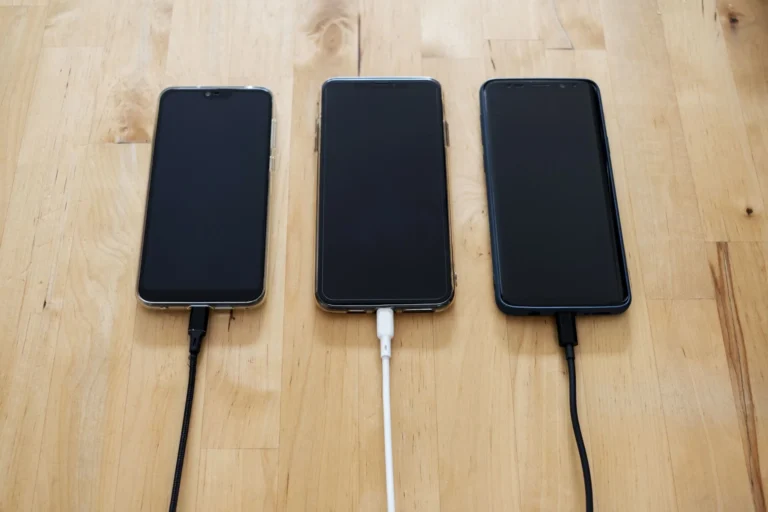
There are three types of VR headsets: phone VR (uses your smartphone, PKR 1,500-5,000), standalone VR (built-in processor, best balance — Meta Quest 3S at PKR 90,000+), and PC VR (requires gaming PC, highest quality but expensive). Standalone is recommended for most Pakistan buyers.
Fix 1: Set Your IPD Correctly
IPD (interpupillary distance) is the distance between the centres of your pupils. Most adults have an IPD between 58mm and 72mm. On Meta Quest 3, there is a physical slider under the headset. Adjust it until the image looks sharpest and most natural. A wrong IPD setting is the single most common cause of VR headaches and nausea.
Fix 2: Switch to Teleport Movement
Almost every VR game offers a teleportation or blink movement option in the settings. Switch to it. Instead of smoothly walking through the virtual world (which triggers maximum nausea), you point and teleport to a location instantly. Your brain accepts this because the movement is instant rather than a conflicting slow scroll.
Fix 3: Increase Refresh Rate to 90Hz
On Meta Quest 3, go to Settings, then Display, then Refresh Rate. Set it to 90Hz or 120Hz. Higher refresh rates mean smoother motion which dramatically reduces the visual-vestibular conflict. The default 72Hz is fine for casual use but 90Hz is noticeably more comfortable for motion-heavy games.
What Is More Settings to Change?
There are three types of VR headsets: phone VR (uses your smartphone, PKR 1,500-5,000), standalone VR (built-in processor, best balance — Meta Quest 3S at PKR 90,000+), and PC VR (requires gaming PC, highest quality but expensive). Standalone is recommended for most Pakistan buyers.
- Enable Vignette/Comfort Vignette: Many VR games have a setting that darkens the edges of your view during movement, reducing peripheral motion cues that trigger sickness.
- Reduce movement speed: In games with speed controls, start at the slowest setting.
- Disable head bobbing: Camera bobbing during virtual walking is a major nausea trigger. Turn it off in every game that offers it.
- Reduce FOV slightly: Some headsets allow FOV adjustment. A slightly narrower FOV reduces motion in the periphery.
Games and Movements to Avoid Initially?
This guide covers everything you need to know about the topic above, with specific focus on Pakistan pricing, availability, and practical advice for local buyers. Read the full section below for details and recommendations in PKR.
Racing games, flight simulators, smooth locomotion shooters, and any game with rapid spinning camera movements. These are the hardest games for new VR users and will trigger nausea reliably until your tolerance builds.
Start with stationary or room-scale games where you move your actual body rather than a thumbstick. Recommended beginner games: Beat Saber, Superhot VR, Gorilla Tag (arm-based movement), and Puzzling Places. These provide a satisfying VR experience without the locomotion problem.
See our best VR headsets guide for headset-specific comfort tips, and our full VR setup guide for Pakistan for room and environment setup tips that also help reduce sickness.
How to Build VR Tolerance: A 2-Week Plan?
This guide covers everything you need to know about the topic above, with specific focus on Pakistan pricing, availability, and practical advice for local buyers. Read the full section below for details and recommendations in PKR.
The key is short sessions done consistently. Do not push through nausea — stop before it starts.
| Week | Session Length | Movement Type | Games to Use |
|---|---|---|---|
| Days 1-3 | 10-15 minutes | Teleport only | Stationary or room-scale only |
| Days 4-7 | 20-30 minutes | Teleport primary | Gradually try slow smooth movement |
| Week 2 | 45-60 minutes | Smooth locomotion | Most games at normal speed |
Take one rest day between early sessions. Your vestibular system adapts during rest periods, not during VR sessions.
When to Stop Immediately?
This guide covers everything you need to know about the topic above, with specific focus on Pakistan pricing, availability, and practical advice for local buyers. Read the full section below for details and recommendations in PKR.
Stop your VR session the moment you notice any of these: mild nausea, cold sweat, dizziness when removing the headset, eye fatigue or pain, or general discomfort. After stopping, sit down in a well-ventilated area and look at a fixed point in the distance for 5 minutes. Do not lie down immediately — it can worsen the disorientation.
Your VR Motion Sickness Action Plan
- First session: Set IPD, switch to teleport, set 90Hz refresh rate, play for 10 minutes only
- First week: 15 minute sessions, teleport only, room-scale games only
- Second week: Gradually increase to 30 minutes, try slow smooth locomotion
- If sickness persists: Check IPD setting, try anti-nausea ginger supplements, wait longer between sessions
- Long-term comfort: Most users report zero sickness after 2 to 3 weeks of consistent short sessions
For more information, visit Daraz Pakistan.