Best Free Unity VR Tutorial Assets and Learning Packs in 2026
The best free Unity VR tutorial assets for beginners are the official Unity VR Samples package and the Meta XR SDK Sample Framework, both free from the Unity Package Manager and Asset Store. These give you working VR projects to study and modify from day one without writing any setup code yourself.
Learning VR development is fastest when you can study real working projects. Free Unity tutorial assets give you complete VR samples to run, modify, and break in your own Unity editor. This guide covers the best free tutorial assets and learning packs available in 2026 for developers at all skill levels.
Why Tutorial Assets Speed Up VR Learning
Always start with an official sample project rather than building from scratch. You will understand VR interaction patterns three times faster by studying and modifying working code than by writing everything from zero. This is especially true for Pakistani developers learning independently without a formal course.
Official and community tutorial assets solve two major problems for new VR developers. First, they show you exactly how to structure a VR project correctly. Second, they save hours of setup time by giving you pre-configured XR rigs, input bindings, and locomotion controllers that already work. Before diving into the assets below, if you have not set up your first VR project yet, see our guide on Unity XR Interaction Toolkit setup for VR beginners.
Best Free Unity VR Tutorial Assets in 2026
1. Unity VR Samples: Official Unity Beginner Package
Unity’s official VR Samples package is the best starting point for any VR developer. It includes working examples of teleportation, grab interactions, UI panels, and locomotion systems all built on the XR Interaction Toolkit. You can run the scenes immediately in Unity and step through each interaction system to understand exactly how it is built and connected.
Pros
- Officially maintained by Unity Technologies
- Works with OpenXR on Quest, PSVR2, and PC VR
- Code is commented for learning purposes
- Updated with each Unity LTS release
Cons
- Requires Unity 2022 LTS or higher
- Some scenes need XR Interaction Toolkit 2.x configuration
The Meta XR SDK Sample Framework is the definitive tutorial package for developers targeting Meta Quest headsets. It includes over 30 sample scenes covering hand tracking, passthrough mixed reality, eye tracking, and controller input. Each scene is self-contained with clean, readable code and documentation. Since Meta Quest is the most accessible standalone headset for Pakistani developers to import, this pack is especially valuable for local developers building Quest-first applications.
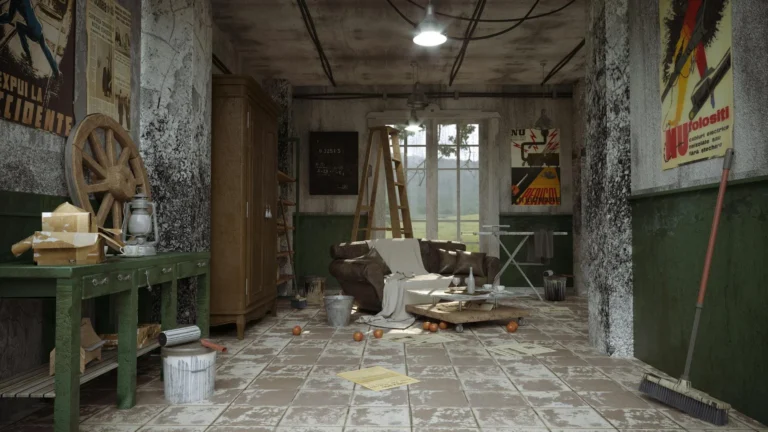
VR Beginner: The Escape Room is a complete playable mini VR game built by Unity as a tutorial project. Unlike bare sample scenes, this is an actual escape room with puzzles, grab mechanics, a full environment, and sound design. It demonstrates how to combine multiple VR systems into a real game experience, making it the ideal resource for developers who learn best by studying a complete project rather than isolated feature examples.
The XR Interaction Toolkit Samples package installs directly through Unity Package Manager and provides working examples for every interaction type in the XRI toolkit: direct grab, ray grab, socket interactions, climb locomotion, and teleportation. Unlike Meta’s sample framework, these examples work across all OpenXR headsets including Meta Quest, PSVR2, and Pico. This is the right resource if you want your VR application to run on multiple platforms without significant rework.
The Unity Learn VR Foundations pathway is not an Asset Store pack but a free structured learning resource that includes downloadable project files. The pathway covers everything from XR rig setup to building a complete VR project, with video tutorials, written guides, and hands-on exercises with progress tracking. For Pakistani developers who are new to VR and learning independently, this is one of the most structured free resources available. For a broader list of free VR assets across all categories, see our complete guide to free Unity VR assets in 2026. Week 2 Picks: This is our second weekly roundup of free Unity VR assets. It covers developer tools and SDKs not featured in our main pillar article. Each pick here is free, actively maintained, and specifically useful for VR projects in Unity 2023 or later. The best free Unity VR assets for Week 2 of… Developer Note: VR requires a consistent 72Hz to 120Hz frame rate per eye. Frame drops cause immediate motion sickness. Performance optimization is not optional in VR development. This guide covers the best free tools to find and fix frame rate issues. The best free Unity VR optimization assets in 2026 are Unity’s built-in Profiler, the… Quick Answer: Start with the XR Interaction Toolkit (free), Meta XR SDK (free), and Resonance Audio (free). These three cover 80% of what most VR projects need. Add paid assets only when your project requires advanced features that free alternatives can’t provide. What You Will Learn in This Guide This guide covers every major category… The best free Unity VR lighting assets in 2026 are Unity’s built-in Lighting Explorer and Baked Lightmap workflow (no cost, best performance), HDRI Skies free packs from Poly Haven (public domain, HDRP/URP ready), and the Magic Lightmap Switcher free version for dynamic day/night switching. For Quest VR, baked lighting is always the right choice over… The Unity XR Interaction Toolkit (XRI) is a free official Unity package that gives you VR grab, teleport, ray interact, and UI interaction ready to use without writing interaction code from scratch. Install it via Package Manager, search for “XR Interaction Toolkit”, add an XR Origin to your scene, and your first VR interaction is… The best free Unity VR UI assets in 2026 are Unity’s built-in UGUI system with World Space Canvas for basic VR panels, and the free Mixed Reality Toolkit (MRTK) for advanced VR interface components. Both are free, actively maintained, and compatible with all major VR platforms including Meta Quest. In This Article Why VR UI…2. Meta XR SDK Sample Framework: Best Quest-Specific Tutorial Pack
Pros
Cons
3. VR Beginner: The Escape Room
Pros
Cons
4. XR Interaction Toolkit Samples: Best Cross-Platform Tutorial Pack
Pros
Cons
5. Unity Learn VR Foundations: Best Free Guided Learning Path
Pros
Cons
Similar Posts
Best Free Unity VR Assets in 2026: Top Picks for Developers (Week 2)
Best Free Unity VR Optimization Assets in 2026: Boost Your VR Performance
Unity VR Assets Complete Guide 2026: Everything a Pakistan Developer Needs
Best Free Unity VR Lighting Assets in 2026: Light Your VR Scenes
Unity XR Interaction Toolkit: Free Beginner Setup Guide for VR Developers
Best Free Unity VR UI Assets in 2026: Build Better VR Interfaces